Introduction
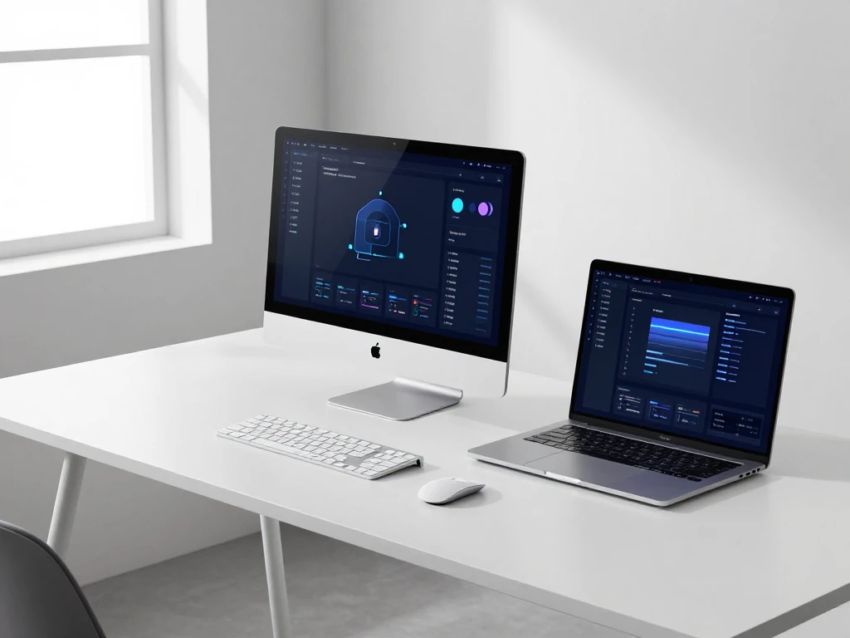
Artificial Intelligence (AI) is transforming the way we use computers, and AI Laptops & PCs are at the center of this technological revolution. In 2026, computers are no longer just machines that process commands—they are intelligent systems capable of learning user behavior, optimizing performance, enhancing security, and improving productivity through AI-powered features.
Whether you’re a student, professional, gamer, content creator, or business owner, AI laptops and PCs offer faster performance, smarter workflows, and personalized experiences. Thanks to dedicated AI hardware, advanced processors, and intelligent software, these devices can handle demanding tasks more efficiently while reducing power consumption.
This comprehensive guide explains everything you need to know about AI laptops and PCs in 2026, including their features, benefits, applications, buying tips, challenges, and future trends.
What Are AI Laptops & PCs?
AI Laptops & PCs are computers designed with dedicated artificial intelligence capabilities. Unlike traditional computers, these devices include specialized hardware such as Neural Processing Units (NPUs), AI-optimized processors, and software that can process AI tasks efficiently.
Instead of relying entirely on cloud-based AI services, AI laptops perform many AI tasks directly on the device. This approach delivers faster performance, better privacy, lower latency, and improved energy efficiency.
These computers can intelligently optimize system resources, enhance video calls, accelerate creative applications, and provide real-time assistance without significantly affecting battery life.
Key Features of AI Laptops & PCs
1. Dedicated AI Processing
One of the biggest innovations in AI laptops is the inclusion of dedicated Neural Processing Units (NPUs). These specialized chips handle AI workloads separately from the CPU and GPU.
Benefits include:
- Faster AI performance
- Reduced power consumption
- Improved multitasking
- Better battery life
- Efficient machine learning tasks
2. Intelligent Performance Optimization
AI continuously monitors system usage and automatically adjusts CPU, memory, and power settings based on user activities.
For example, the system can:
- Increase performance during video editing
- Reduce power consumption during web browsing
- Optimize cooling during gaming
This results in smoother performance without manual adjustments.
3. AI-Powered Productivity Tools
Modern AI laptops include built-in productivity features such as:
- Writing assistance
- Email summarization
- Document generation
- Presentation creation
- Meeting transcription
- Smart scheduling
These tools help users complete tasks more efficiently.
4. Enhanced Video Conferencing
AI significantly improves online meetings through features like:
- Background blur
- Automatic framing
- Eye contact correction
- Noise cancellation
- Voice enhancement
- Lighting optimization
These improvements create a more professional video conferencing experience.
5. Smarter Security
AI laptops use intelligent security technologies such as:
- Facial recognition
- Fingerprint authentication
- AI-powered threat detection
- Privacy alerts
- Automatic device locking
These features enhance data protection and user privacy.
6. Battery Optimization
Artificial intelligence analyzes user behavior and automatically manages background processes to maximize battery life.
Users enjoy longer usage without sacrificing performance.
7. AI Image and Video Editing
Creative professionals benefit from AI tools that can:
- Remove backgrounds
- Enhance image quality
- Reduce noise
- Upscale videos
- Generate visual effects
- Improve photo editing speed
These features save time while producing high-quality results.
8. Offline AI Capabilities
Many AI tasks can now run directly on the device without requiring an internet connection, improving both speed and privacy.
Benefits of AI Laptops & PCs
Increased Productivity
AI automates repetitive tasks, allowing users to focus on more important work.
Common productivity improvements include:
- Faster writing
- Smarter search
- Automated summaries
- Better organization
Better Performance
AI dynamically allocates system resources based on workload, ensuring smooth performance for demanding applications.
Improved Battery Life
Dedicated AI processors consume less energy than traditional processors when handling AI tasks, extending battery life.
Enhanced Creativity
Content creators benefit from AI-powered tools for graphic design, video editing, animation, photography, and music production.
Stronger Security
AI continuously monitors unusual system behavior and helps detect potential security threats before they become serious problems.
Personalized User Experience
The computer learns user habits and adjusts settings, application preferences, and workflows accordingly.
Applications of AI Laptops & PCs
Education
Students use AI laptops for:
- Research assistance
- Note summarization
- Writing support
- Language translation
- Virtual learning
AI helps improve learning efficiency.
Business
Companies benefit from AI through:
- Automated reports
- Smart data analysis
- Customer communication
- Virtual meetings
- Workflow automation
Content Creation
Creators use AI-powered software for:
- Video editing
- Graphic design
- Audio enhancement
- Animation
- Photo retouching
AI significantly speeds up creative workflows.
Software Development
Developers use AI coding assistants to:
- Generate code
- Detect bugs
- Suggest improvements
- Automate testing
- Improve programming efficiency
Gaming
AI enhances gaming through:
- Intelligent graphics optimization
- Better frame rates
- AI-assisted upscaling
- Improved NPC behavior
- Adaptive performance settings
Healthcare
Medical professionals use AI laptops for:
- Medical imaging analysis
- Patient data management
- Clinical documentation
- Research
- Telemedicine
AI Laptops vs Traditional PCs
Traditional computers rely mainly on CPUs and GPUs for processing.
AI laptops add dedicated AI hardware capable of handling artificial intelligence workloads much more efficiently.
Compared with traditional PCs, AI laptops provide:
- Faster AI performance
- Better battery life
- Smarter automation
- Enhanced security
- Improved video conferencing
- Personalized computing experience
This makes AI laptops the next generation of personal computing.
Challenges of AI Laptops & PCs
Higher Cost
Advanced AI hardware increases the overall price compared to standard laptops.
However, prices continue to decrease as technology becomes more common.
Software Compatibility
Not all applications currently support AI acceleration.
Developers continue updating software to take advantage of AI hardware.
Privacy Concerns
AI features often analyze user behavior.
Manufacturers must maintain strong privacy protections and transparent data policies.
Learning Curve
Some users may need time to understand new AI-powered features and workflows.
Fortunately, modern interfaces are becoming increasingly user-friendly.
Future of AI Laptops & PCs
The future of AI computing is extremely promising.
Expected innovations include:
- More powerful Neural Processing Units
- Fully personalized computing experiences
- Longer battery life
- Smarter operating systems
- Real-time language translation
- Advanced AI coding assistants
- Intelligent cybersecurity
- Offline generative AI
- AI-powered creative applications
- Seamless collaboration between devices
As AI models become more efficient, laptops will perform increasingly complex tasks locally without relying heavily on cloud computing.
How to Choose the Best AI Laptop or PC
Before purchasing an AI laptop, consider these important factors:
AI Hardware
Look for dedicated NPUs or AI accelerators for better performance.
Processor
Choose a modern processor designed for AI workloads and multitasking.
RAM
At least 16GB of RAM is recommended for smooth AI applications.
Storage
Fast SSD storage improves boot speed and application performance.
Battery Life
Choose models that offer long battery life for maximum portability.
Display Quality
High-resolution displays are ideal for creative professionals and multimedia users.
Connectivity
Modern ports, Wi-Fi, Bluetooth, and fast networking improve productivity.
Software Support
Ensure the laptop receives regular updates and supports the latest AI-powered applications.
Why AI Laptops Matter in 2026
Artificial intelligence is changing the future of personal computing.
Instead of simply running software, AI laptops actively assist users by:
- Optimizing performance
- Improving productivity
- Enhancing creativity
- Protecting data
- Automating repetitive tasks
- Personalizing workflows
These intelligent systems allow users to work faster, smarter, and more efficiently than ever before.
Conclusion
AI Laptops & PCs represent one of the most significant advancements in modern computing. By combining powerful hardware with artificial intelligence, these devices deliver faster performance, enhanced security, longer battery life, and intelligent productivity features that redefine how people interact with technology.
Whether you are a student, business professional, gamer, or content creator, AI-powered computers offer valuable tools that simplify daily tasks and improve efficiency. As AI technology continues to evolve, these devices will become even smarter, more capable, and more accessible.
Investing in an AI laptop or PC in 2026 is not just about upgrading your computer—it is about embracing the future of intelligent computing.